Ever wonder what truly stands between you and a home filled with invisible pollutants? It’s often the humble, yet mighty, Dyson Air Purifier Filter. In our increasingly sealed homes, where indoor air can be five times more polluted than outside, understanding this crucial component isn’t just about maintenance; it’s about safeguarding your well-being. From trapping microscopic allergens to neutralizing unpleasant odors, your Dyson filter is silently working overtime. But like any hero, it needs a little help to stay at its best.
Understanding Dyson’s Filtration Powerhouse
Dyson air purifiers are engineered with a sophisticated multi-stage filtration system designed to tackle a wide array of airborne threats. The secret lies in their expertly crafted filters, each playing a vital role in delivering cleaner air to your living space.
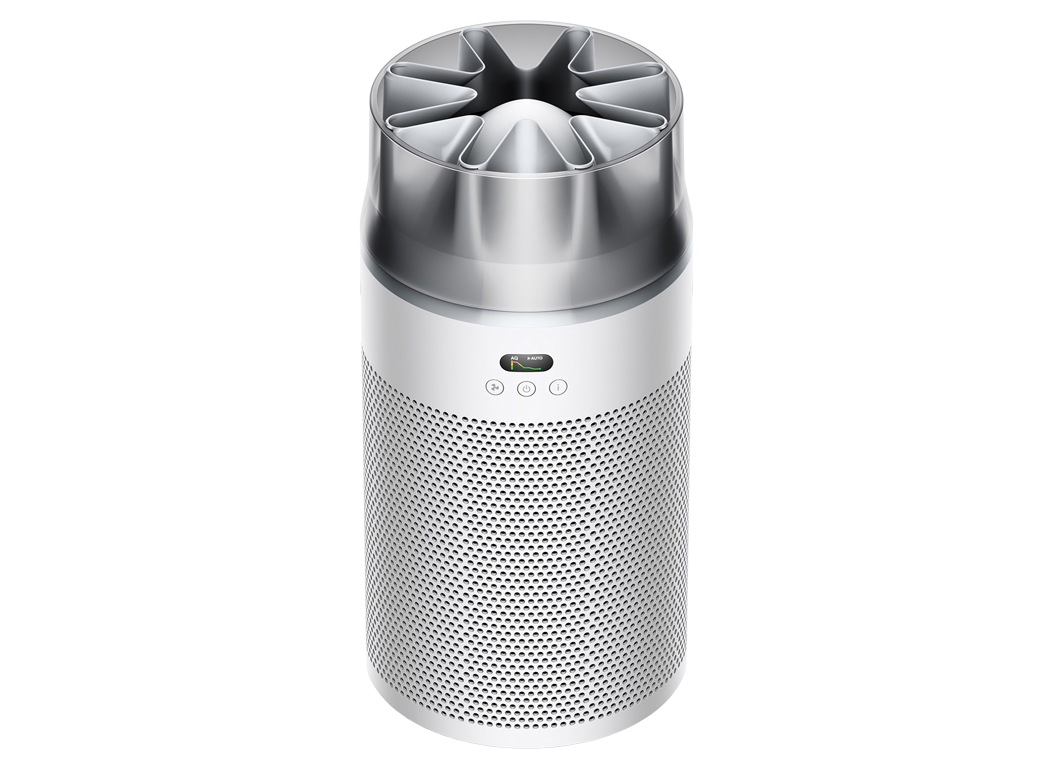
The Dual-Action Advantage: HEPA and Activated Carbon Filters
At the heart of most Dyson air purifiers, you’ll find a powerful combination: the Glass HEPA filter and the activated carbon filter. Think of them as a dynamic duo, each with a specialized mission. The Glass HEPA filter is a true microscopic maestro, meticulously pleated hundreds of times from borosilicate microfibers to capture an impressive 99.97% of particles as tiny as 0.3 microns. These include common culprits like dust, pollen, pet dander, and even some bacteria and viruses.
But particles are only half the battle. That’s where the activated carbon filter steps in. This porous powerhouse is designed to absorb gases, volatile organic compounds (VOCs) that off-gas from everyday items like cleaning products and paints, and stubborn household odors from cooking or pets. Together, these filters create a comprehensive barrier against both particulate and gaseous pollutants, ensuring the air you breathe is genuinely cleaner.
Beyond the Basics: Catalytic Filters for Formaldehyde
Dyson doesn’t stop there. For those particularly concerned about formaldehyde—a colorless, pungent gas often found in building materials, furniture, and household products—certain Dyson models, like those with “Formaldehyde” in their name, incorporate an additional layer of defense: the catalytic filter. What makes this filter truly remarkable is its ability to continuously detect and then destroy formaldehyde at a molecular level, without ever needing to be replaced. It’s a permanent solution, offering ongoing peace of mind against this invisible pollutant.
Why Your Dyson Filter is a Home Hero: The Benefits of Peak Performance
Regularly replacing your Dyson air purifier filter isn’t just a suggestion; it’s essential for maintaining the health and efficiency of both your home and your machine.
Cleaner, Healthier Air
The most immediate and impactful benefit is, without a doubt, significantly improved indoor air quality. A fresh filter ensures your Dyson machine can effectively capture the myriad of airborne pollutants that accumulate in your home. This includes everything from common allergens like pollen and dust mites to pet dander, making a real difference for allergy and asthma sufferers. By trapping these particles, your air purifier reduces their presence in your breathing space, helping you and your family breathe easier.
Odor Elimination
Lingering cooking smells, pet odors, or the scent of cleaning products can make a home feel less inviting. A clean activated carbon filter works tirelessly to absorb these unpleasant gases and VOCs, leaving your home smelling fresher and cleaner. As the filter gets clogged, its ability to neutralize these odors diminishes, allowing them to recirculate.
Protecting Your Investment
Your Dyson air purifier is a significant investment in your home’s health. Regular filter replacement protects this investment by allowing the machine to operate efficiently. When a filter becomes saturated with pollutants, the purifier has to work harder to draw air through it, putting strain on its motor and components. Over time, this added stress can lead to reduced performance, potential damage, and even costly repairs. By changing the filter on time, you ensure your Dyson machine runs smoothly, extends its lifespan, and continues to provide optimal air purification without unnecessary wear and tear.
“Maintaining your Dyson filter isn’t just about clean air; it’s about smart home management,” says Clara Jenkins, a leading expert in indoor air quality. “Think of it as the lungs of your home—you wouldn’t neglect your own, so don’t neglect your air purifier’s.”
When to Swap: Keeping Track of Your Filter’s Lifespan
Knowing when to replace your Dyson air purifier filter is key to consistent performance. Luckily, Dyson makes it pretty straightforward.
The 12-Month Rule (and its exceptions)
As a general guideline, Dyson recommends replacing your air purifier filter every 12 months, assuming typical usage of about 12 hours per day. However, this isn’t a hard and fast rule for everyone. If you live in a bustling city with higher outdoor pollution levels, have furry pets, or run your purifier continuously, you might find yourself needing a new filter more frequently, possibly as often as every six months. Similarly, during peak allergy seasons or periods of poor air quality (like wildfire season), your filter will be working harder and may reach its capacity sooner.
Signs Your Filter Needs Changing
Beyond the recommended timeline, your Dyson machine and even your own senses will often give you clues that it’s time for a filter swap. Watch out for:
- Worsening Allergy or Asthma Symptoms: If you find yourself sneezing more or experiencing more respiratory irritation, a clogged filter might be letting allergens slip through.
- Reduced Airflow: The fan might seem less powerful, or the air coming out might feel weaker.
- Unpleasant Odors: A musty smell or persistent household odors indicate the activated carbon filter is no longer effective.
- Increased Dust: If you notice more dust settling on surfaces, your purifier isn’t capturing particles as it should.
- Unusual Noises: A strained motor sound can signify the machine is working harder against a blocked filter.
- Visible Dirt: Sometimes, a quick visual check will show a gray, dirty, or clogged filter.
- You Can’t Remember When: If it’s been a while, it’s probably time!
Smart Alerts: Your Dyson’s Helpful Reminders
Modern Dyson air purifiers are designed to take the guesswork out of filter replacement. Most models feature an LCD screen that displays the remaining filter life, and you’ll also receive notifications via the MyDyson™ app when it’s time for a change. These smart alerts are your best friends in ensuring you never miss a replacement window, keeping your air quality consistently high.
A Step-by-Step Guide to Dyson Filter Replacement
Replacing your Dyson air purifier filter is typically a simple process that takes just a few minutes, though the exact steps can vary slightly by model. Always refer to your specific machine’s manual for precise instructions.
General Steps for a Smooth Filter Swap
- Safety First: Always unplug your Dyson air purifier from the power outlet before beginning any maintenance. If the unit was recently heating, wait at least 10-30 minutes for it to cool down to prevent burn risks.
- Access the Filters: Most Dyson models have release buttons or catches on either side of the machine’s loop amplifier or base. Press these simultaneously to open the outer cover or lift off the main body.
- Remove Old Filters: Carefully take out the old filters. Some models use a single combi filter (HEPA and carbon combined), while others have separate HEPA and activated carbon filter components. Dispose of the old filters in your household waste.
- Insert New Filters: Unpack your new, genuine Dyson filters. Ensure all plastic packaging, including any thin films inside cartridges, is removed. For models with separate filters (like some TP04/07 units), pay attention to the installation order—often the carbon filter goes in first, followed by the HEPA filter. Ensure they are correctly oriented (e.g., arrows facing front) and seated firmly until you hear a click. Incorrect seating or orientation is a common cause of errors.
- Reassemble: Carefully reattach the outer cover or main body, ensuring it clicks securely into place.
- Reset the Filter Life Indicator: This crucial step tells your Dyson that a new filter has been installed. The exact method varies:
- Remote Control: For many models, you’ll plug the machine back in, turn it on, and then press and hold a specific button on your remote (e.g., the ‘Standby ON/OFF’ button for 6 seconds, or ‘Oscillation’ for HEPA, ‘Night-time mode’ for Carbon on others) until the display confirms the reset.
- Dyson Link App: You can often reset the filter life directly through the MyDyson™ or Dyson Link app under machine settings.
- Manual Button: Some models might have a button on the unit itself to press and hold.
If the warning light persists after a reset, double-check your filter installation for proper seating, ensure it’s a genuine filter, and consider performing a hard reset (unplugging for a few minutes). Outdated Dyson Link app firmware can also cause false warnings, so ensure your app is updated.
The Importance of Genuine Dyson Filters
While it might be tempting to opt for cheaper, generic Dyson air purifier filters, sticking with genuine Dyson parts is crucial for optimal performance, machine longevity, and warranty coverage. Genuine Dyson filters are manufactured to precise specifications, using the same high-quality materials as the original. They are designed to fit perfectly, create an airtight seal, and ensure that your machine captures 99.97% of particles as small as 0.3 microns. Using counterfeit or ill-fitting filters can lead to reduced purification effectiveness, persistent error messages, and may even void your Dyson warranty. Look for holographic security labels and precise part numbers to verify authenticity.
Optimizing Your Air Purifier’s Performance
Beyond regular filter changes, a few proactive steps can help extend your filter’s life and maximize your Dyson purifier’s efficiency:
- Strategic Placement: Position your purifier at least three feet from walls to prevent airflow dead zones. Elevating it a few inches off the floor can also reduce the intake of heavy dust and pet hair. Avoid placing it too close to the kitchen, as cooking grease can clog filters faster.
- Utilize Auto Mode: Running your Dyson in ‘Auto’ mode allows its intelligent sensors to detect pollutants and adjust fan speed accordingly, reducing high-speed runtime when the air quality is good and preserving filter life.
- Regular Exterior Cleaning: Wipe down the exterior of your Dyson and vacuum the intake grilles monthly with a soft brush attachment to prevent superficial dust buildup from impacting airflow.
Frequently Asked Questions (FAQ)
How often should I change my Dyson air purifier filter?
Typically, Dyson recommends changing your filter every 12 months with average use (about 12 hours a day). However, if you live in a highly polluted area, have pets, or use your machine frequently, you might need to replace it more often, sometimes every 6 months. Your machine and the MyDyson™ app will notify you when it’s time.
What types of pollutants do Dyson filters remove?
Dyson filters are designed to remove a wide range of pollutants, including microscopic particles like dust, pollen, pet dander, and allergens (down to 0.1 or 0.3 microns). Their activated carbon filters also tackle gases, volatile organic compounds (VOCs), and odors from sources like cooking, cleaning products, and smoke. Specific models also feature catalytic filters to destroy formaldehyde.
Can I use generic filters with my Dyson air purifier?
While generic filters are available, it’s highly recommended to use genuine Dyson filters. Genuine filters ensure optimal performance, proper fit, and are covered by Dyson’s 12-month warranty. Counterfeit or incompatible filters can lead to reduced effectiveness, error codes, and may void your machine’s warranty.
How do I reset my Dyson air purifier after changing the filter?
The reset procedure varies slightly by model. Generally, you’ll need to plug in your machine, turn it on, and then press and hold a specific button on your remote control (often the power button or oscillation/night mode button) for about 5-6 seconds until the display confirms the reset. You can also reset it via the MyDyson™ or Dyson Link app.
What happens if I don’t change my Dyson filter?
Ignoring a filter change can lead to several problems: reduced indoor air quality as the clogged filter can’t effectively capture pollutants, decreased machine efficiency requiring it to work harder, potential damage to the motor, and persistent unpleasant odors or allergy symptoms in your home. It can also invalidate your product warranty.
Embrace the Freshness: Your Commitment to Clean Air
The Dyson air purifier filter is more than just a piece of technology; it’s a guardian of your indoor environment, a silent worker dedicated to keeping the air you breathe pristine. By understanding its vital role, recognizing the signs of wear, and committing to timely, genuine replacements, you’re not just maintaining an appliance—you’re investing in a healthier, more comfortable home. So, next time that filter light glows, embrace it as a reminder to refresh your air and reinvigorate your living space.